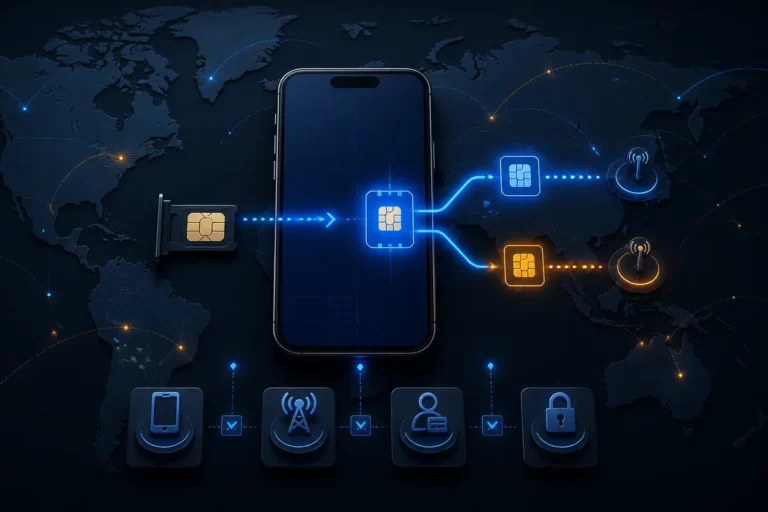
1 safe choice depends on your priority: turn off the primary SIM for the simplest roaming-risk control, or keep it active only when calls, SMS, or account access through your home number are genuinely necessary. A travel eSIM can provide mobile data while the primary line stays installed, but the two lines have separate settings and billing consequences.
For most data-first trips, disable the primary line, select the travel eSIM as the default mobile data line, and prevent automatic data switching. Keep the primary line active only after checking your carrier’s international terms for calls, texts, voicemail, Wi-Fi Calling, and authentication messages.
Quick Take
- 📱 Lowest roaming risk: turn off the primary line and use the travel eSIM for data.
- 🔒 Keep the home number: leave the primary line on only for a defined need, with its Data Roaming disabled where supported.
- ⚙️ Check four controls: line activation, default data line, Data Roaming, and automatic data switching.
- ✈️ Before departure: install and test the travel eSIM on reliable Wi-Fi, then confirm the connection after landing.
Should You Turn Off Your Primary SIM? The Short Answer
Or, usually turn off the primary SIM when avoiding roaming charges matters more than receiving standard calls or SMS on your home number. A travel eSIM is a mobile connectivity profile that supplies service through a local or regional network, while the primary SIM remains tied to your usual carrier and its roaming rules.
Turn the primary line off when the trip is data-first, the home carrier’s roaming conditions are expensive or unclear, or messaging apps can replace ordinary carrier services. Disabling the line in the phone settings normally preserves the installed profile. Removing a physical SIM is unnecessary.
The simplest maximum-control setup is travel eSIM data with the primary line disabled. The travel eSIM can still support maps, email, internet messaging, translation tools, and other online services over its connection.
Or keep the primary line active for a bank’s verification text, an essential call, family contact, or an account-recovery process that still uses the home number. Incoming services are not automatically free, and the carrier’s treatment of calls, SMS, voicemail, and network registration must be checked before departure.
Turn the primary line off when cost certainty matters most
Data-only travel is the clearest case for disabling the primary line because the phone cannot normally use that inactive line for ordinary carrier calls or SMS. App-based calls and messages can continue through the travel eSIM or Wi-Fi.
Use this configuration for a data-first trip.
- Disable the primary line in the cellular or SIM settings.
- Select the travel eSIM as the mobile data line.
- Disable automatic data switching.
- Confirm that the travel eSIM’s coverage matches the countries on the itinerary.
Keep it on only for a specific reason
A home number may still matter for authentication, work access, urgent calls, or a carrier feature that requires the original line to remain registered. That reason should be identified before travel rather than discovered after boarding.
Do not keep the primary line active by habit.
Or, if the reason disappears, turn off the line and remove that source of uncertainty.
The Settings That Actually Prevent Unwanted Roaming
Or, four controls determine how a dual-SIM phone behaves abroad: whether the primary line is active, which line handles mobile data, whether Data Roaming is enabled, and whether the phone can switch data automatically. Selecting the travel eSIM for data does not deactivate the primary line.
Turning off Data Roaming on the primary line limits its cellular-data use abroad, but it may not address charges connected with calls, voicemail, texts, Wi-Fi Calling, or other carrier services. The exact result belongs to the carrier policy and the device configuration.
Mobile data selection and line activation are separate decisions. Check both before leaving home.
Automatic data switching deserves particular attention. When enabled, a phone may use the primary line if the travel eSIM has weak or unavailable service, depending on the model and operating system.
Disable it when avoiding surprise data charges is the priority.
Or check the setting after every major SIM change because software updates and device interfaces can move the control.
| Control | What it changes | Safer travel setting | Important limit |
|---|---|---|---|
| Primary line activation | Whether the home line can normally register for carrier service | Off when the home number is unnecessary | Ordinary calls and SMS may stop until the line returns |
| Default mobile data | Which SIM supplies cellular internet access | Travel eSIM | It does not turn off the primary line |
| Primary Data Roaming | Whether the primary line can use cellular data abroad | Off where the device supports line-specific control | It may not cover calls, voicemail, or SMS billing |
| Automatic data switching | Whether the phone can move data to another line | Off | Menu names and behavior vary by device |
Primary line on or off
A disabled primary line generally cannot receive normal carrier calls or SMS until it is switched back on. The travel eSIM and Wi-Fi can still support internet-based apps connected to an existing account.
Turn it off for maximum roaming control.
Data Roaming and the default data line
Set the travel eSIM as the default data line and disable Data Roaming specifically on the primary line when the phone offers separate controls. Some travel eSIMs require Data Roaming on their own line, so follow that provider’s activation instructions rather than copying the primary-line setting.
Or, when Android does not offer independent control, disabling the primary line is the safer option for avoiding unintended cellular activity.
Choose the Safest Setup for Your Travel Needs
Or, the safest configuration depends on whether cost control or access to the home number carries more weight. Travel eSIM only is the low-risk choice for internet access without carrier calls or verification texts, while both lines active can work when the carrier’s roaming terms are understood and data is firmly locked to the travel line.
Choose the travel eSIM only.
That setup fits travelers who can prepare alternative sign-in methods, use internet messaging, and accept that standard calls or SMS to the home number may not arrive while the primary line is off.
| Travel profile | Primary line | Mobile data | Automatic switching | Best use |
|---|---|---|---|---|
| Lowest-risk setup | Off | Travel eSIM | Off | Data-first trips where roaming avoidance matters most |
| Balanced setup | On | Travel eSIM | Off | Trips requiring the home number for selected calls or texts |
| Roaming-plan setup | On | Primary line or travel eSIM | Controlled intentionally | A carrier package specifically covers the intended usage |
Keep the primary line active only when its practical benefit is worth the remaining billing uncertainty.
Lowest-risk setup: travel eSIM for data, primary line off
Use this profile when avoiding roaming charges outweighs the need to receive standard calls and SMS on the home number. Prepare recovery codes, an authenticator app, email verification, or another supported sign-in method before departure.
- Primary line: disabled.
- Travel eSIM: enabled.
- Default mobile data: travel eSIM.
- Automatic data switching: disabled.
Balanced setup: both lines on, with strict data controls
Use both lines only when the home number must remain reachable and the carrier’s international terms are acceptable. Set the travel eSIM as the data line, disable primary-line Data Roaming where possible, and prevent automatic data fallback.
Do not choose this configuration for an unclear roaming plan.
Roaming plan setup: primary line intentionally used abroad
A purchased or included roaming package may cover the intended calls, texts, and data, but the package’s countries, allowances, exclusions, and overage rules must be confirmed with the carrier. A travel eSIM can still provide a separate data route when its coverage or pricing is more suitable.
Or compare the complete out-of-bundle cost, not just the advertised package price.
Set Up Your Travel eSIM Before Departure and After Landing
Or, install the travel eSIM on reliable Wi-Fi before departure, confirm that the phone is unlocked and compatible, then verify the active data line after landing. The safest sequence installs and activates the travel profile before disabling the primary line, so connectivity remains available if a setting or activation step fails.
Check the phone’s carrier-unlock status separately from its dual-SIM capability. A device can support two lines and still be restricted to its original carrier, while an unlocked phone may still lack compatibility with a second active eSIM.
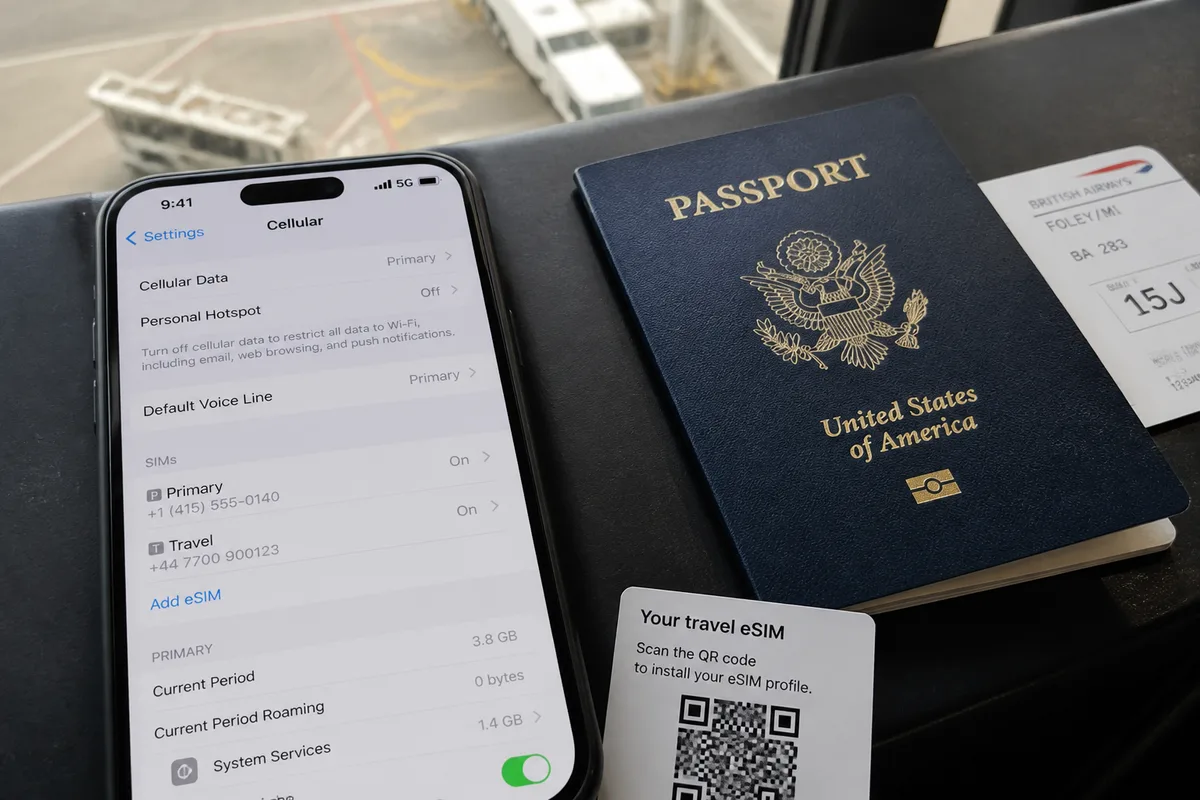
Label the lines clearly as Primary and Travel. Clear labels reduce the chance of changing the wrong setting during an arrival, border crossing, or airport connection.
-
Check compatibility
Confirm carrier unlock status, eSIM support, dual-SIM operation, destination coverage, and the travel provider’s activation requirements.
-
Install on Wi-Fi
Install the travel eSIM while the existing connection is stable, and keep the provider’s instructions available offline.
-
Prepare authentication
Move important accounts to an authenticator app, recovery code, email method, or another supported option where possible.
-
Select travel data
After landing, choose the travel eSIM as the default mobile data line and disable automatic data switching.
-
Test the connection
Open a simple webpage before launching applications that may synchronize, back up, or consume substantial data.
Or, review your carrier’s international roaming terms and save its support contact before leaving home. The provider must also confirm whether the travel eSIM is data-only or includes a phone number, calls, or SMS.
For a broader preparation checklist, see how to set up an eSIM before travel. Travelers comparing connectivity choices can also review local SIM, eSIM, and roaming options.
iPhone and Android: Where to Check the Crucial Dual-SIM Settings
Or, iPhone and Android phones use different menu names, and Android manufacturers may place SIM controls in different locations. On either platform, identify both lines, choose the travel eSIM for mobile data, prevent automatic fallback, and review primary-line activation and roaming separately.
Menu labels can change with the model, operating-system version, carrier configuration, and region. Check the current interface on the device itself rather than relying on an older screenshot.
iPhone travel eSIM settings
On an iPhone, open Cellular or Mobile Service settings, identify the Primary and Travel lines, and select Travel for Cellular Data. The primary line can then be disabled entirely or kept active with its Data Roaming setting off where available.
- Open Settings, then Cellular or Mobile Service.
- Select the Travel line for Cellular Data.
- Turn off Allow Cellular Data Switching.
- Open the Primary line and disable Data Roaming, or turn off the line.
- Check which line is selected for calls and messages before using those services.
Use the line switch rather than deleting the cellular plan. Deleting a profile can create a separate reactivation problem and is not a first-line fix for roaming control.
Or, if the iPhone still uses the wrong line, review the individual settings again after restarting the device.
Android travel eSIM settings
On Android, the relevant controls may appear under Network & internet, Connections, SIM manager, or a similar menu. Set the travel eSIM as the preferred data SIM, disable automatic data switching, and check whether Data Roaming applies to one SIM or every active line.
Android menu paths differ by manufacturer.
- Open the phone’s SIM or network management settings.
- Identify the primary SIM and travel eSIM by their labels.
- Choose the travel eSIM as the preferred mobile data SIM.
- Disable primary-SIM roaming when the phone offers independent control.
- Deactivate the primary SIM when standard calls and SMS are unnecessary.
If independent roaming control is unavailable, turning off the primary line provides the clearer boundary. The travel eSIM may require Data Roaming on its own line, so follow the travel provider’s instructions for that profile.
Calls, SMS, Verification Codes, and Wi-Fi Calling: What May Still Happen
Or, turning off the primary line can stop ordinary carrier calls and SMS, including some verification codes and voicemail notifications. Internet messaging can continue through the travel eSIM or Wi-Fi when the account is already active, but app messaging does not replace every carrier-based authentication or calling function.
Keeping the primary line on may allow selected services to reach the home number. Billing and availability still depend on the carrier, device, destination country, network relationship, and plan.
Do not treat Wi-Fi Calling, visual voicemail, or authentication delivery as guaranteed workarounds for international roaming.
How to protect access to important accounts
Generate recovery codes and review authentication methods before travel, especially for banking, work accounts, email, and password recovery. Test the alternative method while still connected to the usual home service.
Do this before disabling the primary line.
Or ask the carrier whether receiving SMS abroad, answering calls, voicemail retrieval, or Wi-Fi Calling creates a charge under the specific plan.
What to restore when returning home
When returning home, set the primary line back as the preferred data line if that is the normal arrangement, then verify calls, texts, and mobile data. Disable or remove the travel eSIM only according to its validity period and provider instructions.
Keep the travel profile installed if another trip or remaining allowance makes that useful. Restoring the home setup does not require deleting the profile.
For calling preparation, the guide on how to call home while travelling covers internet-based and carrier-based considerations.
Frequently Asked Questions
Do I have to turn off my primary SIM when using a travel eSIM?
Or, no universal requirement applies, but turning off the primary SIM is the simplest option when roaming-risk reduction matters most. Keep it active only when calls, texts, or account access through the home number are necessary and the carrier’s terms are understood.
Will I receive verification codes if I turn off my primary SIM?
Turning off the primary line can prevent standard carrier SMS from reaching the home number, including some verification codes. Set up an authenticator app, recovery code, email method, or another approved option before disabling the line.
Should I turn off Data Roaming on my primary SIM?
Yes, turn off Data Roaming on the primary line when the phone offers line-specific control and the travel eSIM is handling data. This setting limits primary-line cellular data, but carrier charges for calls, voicemail, SMS, or other services require separate confirmation.
Can I keep my primary SIM on and use a travel eSIM for data?
Yes, both lines can remain active while the travel eSIM handles mobile data. Select the travel eSIM as the default data line, disable automatic data switching, and check the primary carrier’s international pricing before using calls or messages.
Do I need to remove my physical SIM abroad?
No, removing a physical SIM is normally unnecessary when the phone’s software can disable the primary line. Leave the card installed if you may need to restore the home number, and change the line setting instead of risking damage or loss.
Will Wi-Fi Calling work with my primary SIM turned off?
Wi-Fi Calling may stop when the primary line is disabled because the carrier service is no longer active on that line. Device, carrier, country, and plan rules control the result, so confirm the feature before relying on it overseas.
What settings should I restore when I get home?
Restore the primary line, select it as the preferred mobile data line if appropriate, and check calls, SMS, and cellular data. Keep or remove the travel eSIM according to its provider instructions, without deleting it as a first troubleshooting step.
Intentional line control is safer than one universal switch: use the travel eSIM for data, then keep the primary line active only if its benefits justify the remaining billing uncertainty and 1 carrier condition has been verified.