
Before you dial, check the number format, phone access and carrier settings that will control your connection abroad. An international calling code is the country or territory prefix used when dialing a foreign telephone number. Find the destination code, add the international access prefix required by the caller’s country or use the + format on a mobile phone, then enter the area code and subscriber number according to the destination’s rules.
A phone may be unlocked, charged and apparently ready while calls still fail because a contact contains the wrong national prefix, roaming is blocked or the chosen SIM has not activated. A few checks at home prevent missed calls, unnecessary roaming charges and a difficult search for local assistance after landing.
How do international calling codes work?
International calling codes identify the destination country or territory inside the global telephone numbering system. The complete number may also contain an international access prefix, a national prefix, an area code and a subscriber number, so the country code alone rarely completes the call.
The basic mobile format is:
+ country calling code + destination number in international format
The plus sign tells a mobile network to use the international access method required where the call starts. On a landline, the caller may need to enter a country-specific access prefix instead.
For example, France uses country code +33. A French number written domestically as 01 23 45 67 89 is commonly stored internationally as +33 1 23 45 67 89, because the domestic leading 0 is removed in that format.
However, that pattern must be checked for the destination. The national prefix is often 0, yet its treatment is not universal, and E.164 does not impose one national number length for every country.
Step 1: Separate the parts of the number
Start by identifying each part before pressing call. The country calling code points to the destination numbering plan, the area code may identify a region or service, and the subscriber number identifies the individual line.
- International access prefix: the code used to leave the caller’s domestic network, such as 011 from the United States or Canada on a landline.
- Country calling code: the one-, two- or three-digit code assigned to the destination numbering plan.
- National prefix: a domestic starting digit, often 0, that may be removed in international format.
- Area code: a regional, service or numbering-plan identifier that may need to remain.
- Subscriber number: the part assigned to the specific customer or service.
Keep the labels separate. A country code is not an area code, and an area code is not automatically a mobile prefix.
The ITU-T E.164 plan allows an international public number to contain no more than 15 digits, including the country code, while national numbering plans decide how the remaining digits are organised.
That distinction matters when a directory displays a combined form such as 1-684. The usable structure can be country code 1 followed by a relevant three-digit area code, rather than a separate country code with a different global status.
Step 2: Check what happens to the leading zero
Write the number first in its domestic form, then confirm the destination’s international format before deleting anything. Many countries remove the domestic trunk prefix after the country code, although the same action cannot safely be applied to every numbering plan.
Mexico illustrates why destination-specific instructions matter. Mexico’s country code is +52, and the FCC’s consumer guidance uses +52 followed by a 10-digit Mexican number including the area code; callers from the United States or Canada should not add an extra 1 after +52 for a Mexican mobile number.
Do not copy a domestic contact by simply adding a plus sign. That can preserve a trunk prefix that the foreign network does not expect, or remove a digit that the destination actually requires.
Step 3: Save contacts in international format
Save frequently used contacts with the plus sign and country code before departure. This makes the stored number more portable when you cross a border, change SIMs or use a travel eSIM, because the contact no longer relies on the formatting rules of your home network.
Use separate labels for home, hotel, carrier support and local assistance.
Include the destination area code where the numbering plan requires it, and keep a written backup of essential numbers in case the phone, SIM or account becomes unavailable. A contact card stored only inside the phone is a weak fallback.
Check the fallback. Send a test message or place a short call while connected to Wi-Fi, then inspect the number displayed in the phone’s contacts application.
For a broader explanation of the format, the reference on international calling codes can help readers compare country prefixes with practical calling steps.
What should you prepare on your phone before departure?
Prepare the device while you still have stable Wi-Fi, account access and customer support nearby. The highest-impact checks are phone unlocking, network access, contact formatting, account permissions and a backup route if the main SIM or eSIM fails.
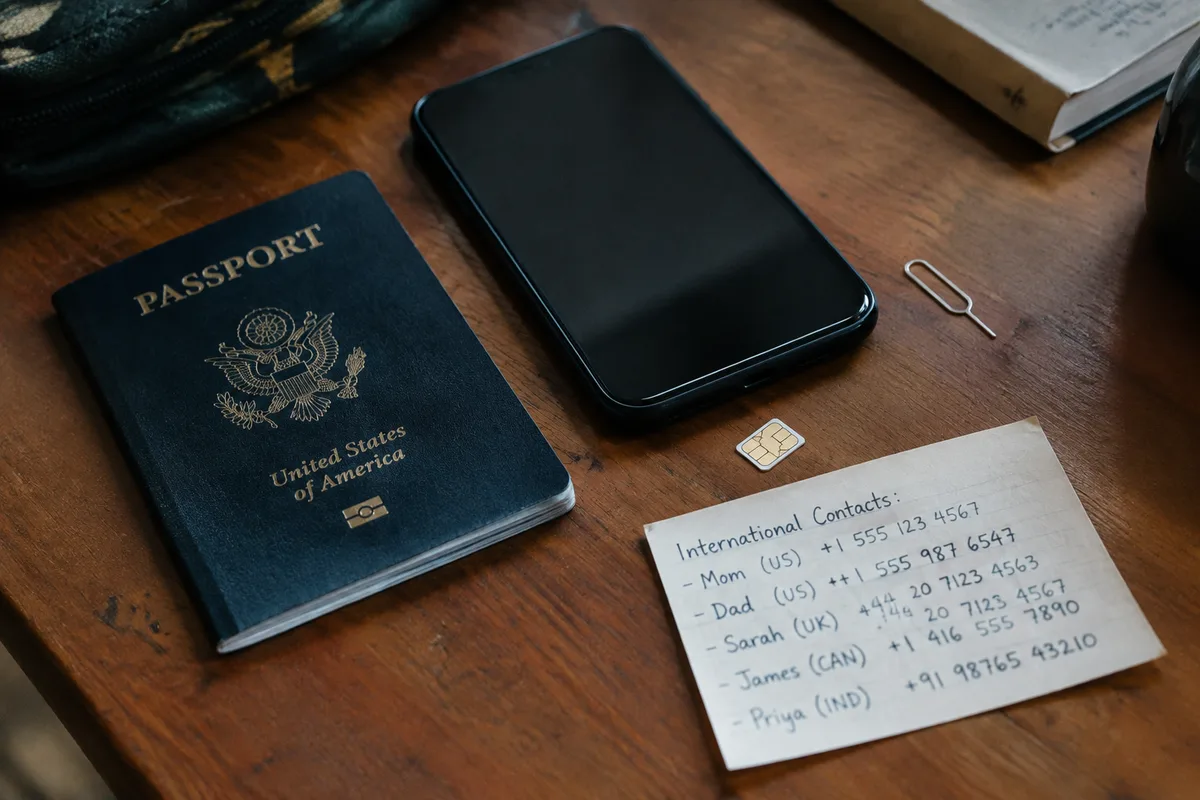
Step 1: Check whether the phone is unlocked
An unlocked phone can accept a compatible SIM or eSIM from another carrier, while a network-locked device may reject the travel option even when the destination has strong coverage. Ask the home carrier for the device status before buying connectivity.
Find the phone’s network-lock information in its settings or account portal. The exact menu depends on the manufacturer and operating system.
If the device is locked, choose a carrier roaming plan only after checking its destination conditions, or resolve the lock before departure through the carrier’s official process. Do not assume that a phone bought without a contract is automatically unlocked.
Confirm the device supports the local network technologies used by the chosen carrier, especially when the trip crosses several countries and the plan relies on partner networks.
Step 2: Review roaming and international calling settings
Open the mobile-network settings and record the current state of data roaming, voice roaming, international calling and automatic network selection. These controls are separate, so enabling one does not establish every service required for a call or data session abroad.
Write down which setting you intend to use.
Check the carrier account as well. A phone setting cannot override a carrier restriction, unpaid balance, destination exclusion or plan that does not include the service.
For travellers keeping the home SIM active, decide whether incoming calls, voicemail and text messages must remain available. Each can have separate charges or conditions, and the carrier’s current destination tariff is the only reliable basis for the cost.
Check the fallback. Save the carrier’s support number in international format and keep the account login available offline through a password manager or a secure written record.
Step 3: Install and test the chosen SIM or eSIM
Install a travel SIM or eSIM before departure when its activation process allows it, then test the profile without accidentally making a chargeable call. Confirm the label used for mobile data, the default voice line and the line that receives verification messages.
Keep the home line identifiable.
For a physical SIM, store the original card and tray tool in a marked pouch. For an eSIM, save the activation instructions offline and check whether the profile remains available after a device restart.
Make a controlled test over Wi-Fi and then, if the plan permits it, a brief mobile-data test. Record the network name shown by the device, because that information can help support staff diagnose a failed handoff later.
Do not delete the home eSIM merely to make room unless you know how to reinstall it. Losing the home line can block account verification at the worst time.
Step 4: Back up essential information
Back up contacts, boarding details, accommodation information and support instructions before leaving home. The useful backup is accessible without mobile data, because a failed activation can leave the traveller unable to download a document or recover a cloud account.
Keep essential details in two places.
- Store key numbers in the phone using the international format.
- Save a secure offline copy of the itinerary and carrier details.
- Write down the phone’s account recovery method.
- Keep emergency and accommodation information available without an app.
Test the backup in airplane mode with Wi-Fi disabled. If the number or document cannot be opened then, it is not yet a dependable travel fallback.
How can you avoid roaming charges and connection failures abroad?
Control costs by separating voice, text and data decisions before the phone connects to a foreign network. Check the home plan, the travel SIM or eSIM terms and the destination network conditions, then disable services that you do not intend to use.
There is no universal roaming price.
Rates can differ by country, carrier, plan, billing unit and service type. An advertised travel package may cover mobile data while charging separately for voice calls, incoming calls, texts or voicemail, so the displayed package price is not the full calling cost.
Price changes at borders. A journey through several countries can move the device between partner networks with different terms, even when the phone and SIM remain unchanged.
Control mobile data and background usage
Turn off automatic downloads, cloud photo synchronisation, app refresh and roaming data unless the selected plan explicitly covers them. Background activity can consume data while the phone appears idle, especially after navigation, media or messaging applications resume synchronisation.
Use the phone’s data warning tools.
Set a conservative warning and review which applications used data before the trip. The exact controls vary by operating system, so confirm the setting on the device rather than relying on a generic instruction.
When Wi-Fi is available, check whether the network is trusted before entering account credentials. A public network can support messaging while still being unsuitable for sensitive account recovery or payment actions.
Keep automatic network selection enabled only when the plan and carrier support it. Manual selection can help diagnose a failure, yet it can also prevent the phone from returning to the preferred partner network.
Understand calls, texts and internet calling
A voice call, SMS, multimedia message and internet call use different systems and may have different billing rules. Compare the carrier’s current international call rates with the travel plan, then decide which method is appropriate for routine conversations and which must remain available for support.
Wi-Fi calling is not automatically free.
Its billing and availability depend on the carrier, device, home number and destination. Some services treat a Wi-Fi call as a call from the home line, while others restrict Wi-Fi calling abroad or require a specific configuration.
Internet calling can reduce reliance on traditional voice service when both parties have a stable connection. It becomes a poor sole plan in weak-signal areas, during battery failure or when the recipient cannot use the same application.
For local businesses, hotels and transport providers, store a conventional telephone number as well as an app-based contact. A local number may be reachable through the travel SIM even when the home account is offline.
Fix a phone that will not connect
When service fails abroad, test the device in a fixed order rather than changing several settings at once. Check airplane mode, active SIM or eSIM, roaming permission, account status and network selection, then restart the phone before repeating the call.
- Confirm that airplane mode is off and the intended line is enabled.
- Check that the travel SIM or eSIM is selected for mobile data.
- Verify that roaming is allowed by both the phone and the carrier plan.
- Restart the device and wait for the network name to appear.
- Try manual network selection if automatic selection fails.
- Place a test call using a saved number in full international format.
Check the fallback. If the network attaches but calls fail, try a text message or mobile-data session to separate a voice restriction from a complete connectivity failure.
If only one contact fails, inspect that number first. If every service fails, the likely fault is activation, account access, coverage, device compatibility or a carrier block rather than the country code itself.
Do not repeatedly redial a number that may be incorrectly formatted or premium-rated. Confirm the destination number through a trusted local or official source before trying again.
Why can an emergency number fail abroad?
Emergency numbers are managed within national or regional systems, so a short number used at home may not work from another country. Before departure, identify the destination’s official emergency procedure, save local assistance contacts and understand whether the phone can place an emergency call with limited service.
Short numbers are not ordinary international numbers.
They may be designed for domestic routing, fixed networks, public-safety agencies or special services, and they may lack a globally portable country-code format. A number that works from a local SIM may fail from a foreign SIM, hotel phone or internet-calling application.
Use an official government travel page, local authority source or carrier instruction for the destination. Save the information offline, including the correct action if voice service is unavailable.
Some phones can reach emergency services when they have access to a compatible network without an active home subscription, but this is not a promise of universal access. A blocked device, unsupported network, local configuration or weak signal can still prevent the call.
Check the fallback. If you cannot connect, move to an area with a clearer signal, ask nearby staff to call local services and use the destination’s official emergency guidance rather than guessing a home-country number.
Recognise misleading caller identification
An incoming number displaying a familiar country code does not establish where the caller is physically located. Caller identification can be altered or spoofed, and the displayed code may describe the number presented to the network rather than the caller’s real location.
Do not disclose account codes to an unexpected caller.
Let unknown calls go to voicemail when possible, then contact the organisation through a number found on its official website, booking record or physical document. The same caution applies to urgent requests for payment, identity documents or remote access.
International calling codes help route calls. They do not provide a precise location guarantee for the caller or recipient, and they cannot authenticate the person behind the number.
What should you check the day before travelling?
The final check should confirm the actual device, account and destination rather than a generic travel plan. Complete it while Wi-Fi, charging equipment, account credentials and carrier support are still available, then keep the results accessible offline.
Keep a paper copy of the most important contact details.
Or, if you change the itinerary, repeat the country and carrier checks before crossing another border. The carrier information and emergency guidance may change independently of the number already saved in your phone.
Do not treat a full battery as proof of readiness. The failure usually appears at the handoff between device, carrier and destination network.
Frequently Asked Questions About International Calling Codes
Is the US country code 1 or 001?
The United States country code is +1. 001 means the international access prefix 00 followed by country code 1 in countries that use 00 for international calls; it is not a separate US country code.
Are toll-free numbers free when called from abroad?
Not necessarily. A toll-free number may be limited to domestic callers, unavailable from foreign networks or billed as a regular international call when dialed from another country.
Can I make international calls with a prepaid SIM?
Yes, if the prepaid SIM is activated, has sufficient credit or an applicable calling plan, and supports international voice service. The phone must also accept the SIM and connect to a compatible network.
What to remember
Use the plus format on a mobile, store contacts internationally and check the destination’s treatment of national prefixes. Test the device before departure, control background data and keep an offline route to carrier and emergency assistance.
Make the final test from the exact phone and SIM combination you will carry, then confirm the destination carrier’s current terms only if the itinerary, device and network plan still match.