
Before you dial, check the account route: you can use Alice Mail on a phone through TIM’s mobile-friendly webmail in a browser, or by adding an existing @alice.it address to a compatible email app with current settings. The safest starting point is official TIM access and recovery; old server details and third-party apps deserve caution.
Alice Mail is closely associated with TIM Mail, so the address may remain @alice.it while the access page uses TIM branding. A browser avoids manual configuration, whereas an app can provide notifications and synchronization after IMAP, SMTP, password, and security fields are accepted.
| 📱 | Phone access: Use TIM webmail in Safari, Chrome, or another current mobile browser. |
| ✉️ | Existing address: An @alice.it account may be added to a compatible email app. |
| 🔐 | Credentials: Enter your password only on an official access page or trusted mail app. |
| 🔄 | Synchronization: IMAP keeps folders and messages aligned across supported devices. |
| 📤 | Sending: SMTP handles outgoing mail and requires an authenticated submission setup. |
| ⚠️ | Legacy settings: Old Alice Mail server names or security options may no longer work. |
What is the quickest way to access Alice Mail on a phone?
You can access Alice Mail fastest by opening the official TIM Mail webmail route in a phone browser and signing in with the full address and password. This method avoids manual IMAP and SMTP entry, works on both iPhone and Android, and keeps third-party app installation out of the first decision.
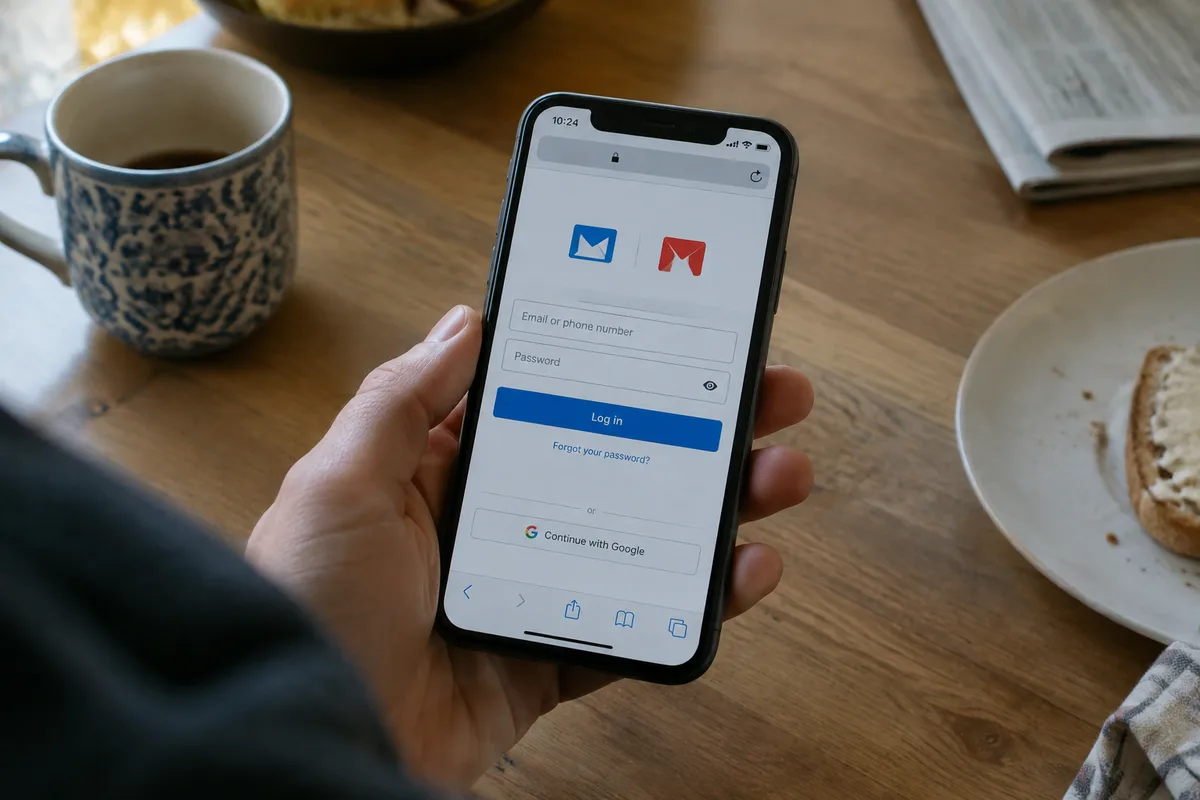
Use TIM webmail in a mobile browser
Open Safari on an iPhone or Chrome on an Android phone, then navigate to the official TIM Mail access page rather than following an unfamiliar login advertisement. Confirm the address bar before entering credentials.
Save a shortcut only after the legitimate page has loaded and the domain is correct. A home-screen icon does not prove that the destination is official; it simply repeats the address already saved by the browser.
Yet a successful browser login tells you something useful: the account credentials and web access path work, even if a separate email app later fails. If the page loops, appears blank, or returns to the login screen, clear stale cookies for the service, allow JavaScript, update the browser, and test a private window before changing account settings.
When an email app is more convenient
An email app makes sense when you need notifications, a combined inbox, attachment handling, or access to several accounts in one place. It requires more information because receiving and sending use different protocols, and automatic detection may not recognize an older @alice.it account.
The belief that Alice Mail requires a dedicated official phone app is incomplete. TIM describes its mail interface as optimized for smartphones and tablets, while the available app landscape also includes third-party products whose publisher and current status must be checked individually.
Alice Mail login instructions can help when the browser route itself is unclear, but do not substitute a random application for the official recovery path.
How do you add an existing @alice.it account to iPhone or Android?
To add Alice Mail to Apple Mail, Gmail, Outlook, or another mobile client, enter the complete email address, password, incoming-mail details, outgoing-mail details, and required security options. Automatic setup may succeed; older accounts frequently need manual entry, so record the exact error before changing several fields.
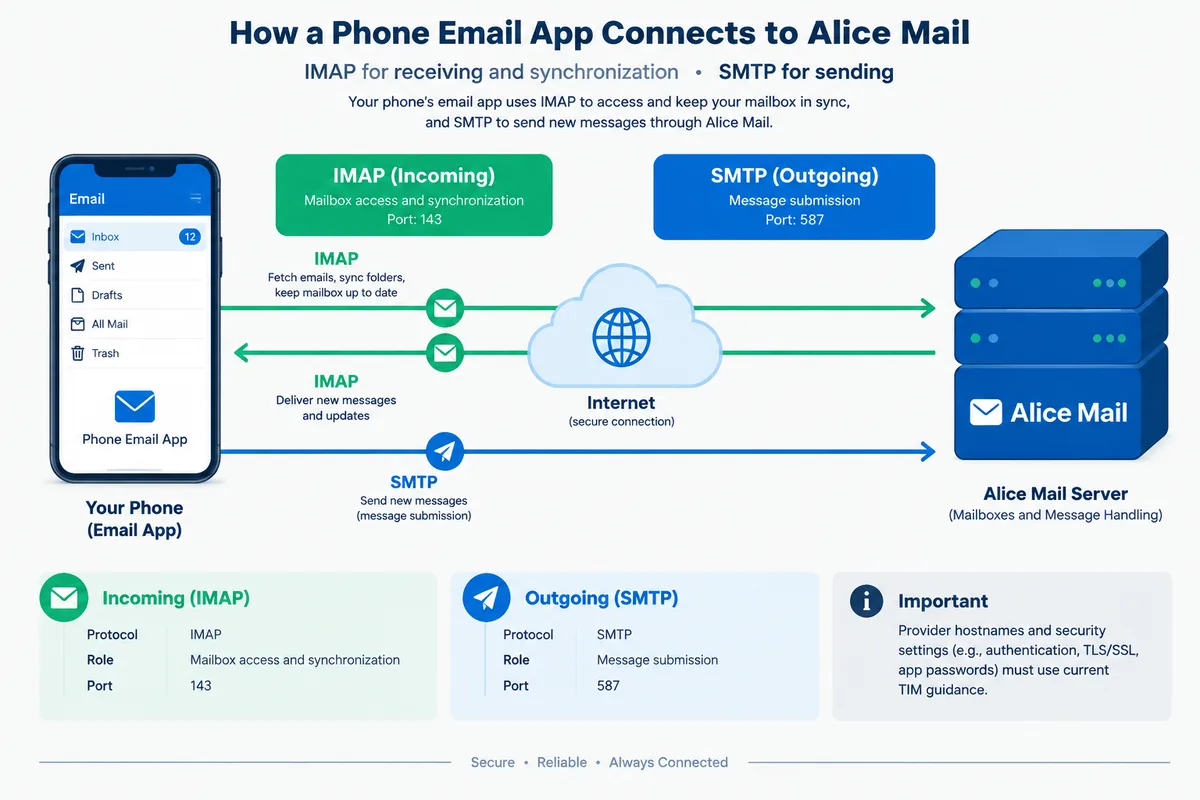
Information to prepare before setup
Have the full @alice.it address available, not just the name before the symbol. Use the current password and keep the official TIM support or account-recovery route available if authentication fails.
Do not guess a hostname from an old forum post.
For a manual configuration, distinguish the two jobs clearly. IMAP retrieves and synchronizes mailbox content; SMTP submits outgoing messages. IMAP4 is defined by RFC 9051, while SMTP is defined by RFC 5321, so an app can display incoming mail correctly while still failing when you press Send.
IMAP for receiving and synchronization
IMAP is the appropriate model when the same mailbox must remain aligned across a phone, browser, and another device. The phone normally displays messages held on the server, allowing folders, read status, and deletions to follow the account rather than living only on one handset.
One published Alice.it configuration lists port 143 for IMAP. The supplied information does not establish the security mode or confirm every current hostname, so that value should not be paired with a guessed encryption setting.
POP3 behaves differently: it is designed around downloading messages and can create gaps between devices when deletion or retention options are inconsistent. For a primary phone, IMAP is the clear choice.
SMTP for sending messages
SMTP handles outgoing messages, which explains why an account can receive mail successfully yet reject every reply. A published Alice.it configuration lists port 587 for SMTP submission, and RFC 6409 identifies 587/TCP as the standard message-submission port.
Port 587 is a submission port.
Authentication, encryption, and the correct outgoing server still matter. Port 25 is intended for SMTP relay traffic rather than ordinary authenticated mobile submission, while RFC 8314 also describes secure submission arrangements involving ports 465 and 587; the app must use the combination supported by the current provider configuration.
Check the fallback. If automatic setup fails, stop before repeatedly changing unrelated options: compare the app’s incoming and outgoing fields with current TIM guidance, then test receiving and sending separately.
What do Alice Mail and TIM Mail mean for an old account?
An @alice.it address can remain the identity used by the customer while TIM Mail provides the current service environment and branding. Alice addresses have been integrated into TIM Mail, and existing messages are generally expected to remain in the mailbox unless they were deliberately deleted, although app access can depend on account status and TIM association.
Legacy @alice.it addresses
The address itself is not the same thing as the login page. A familiar mailbox may open through a TIM-branded interface, and an email app may request provider details that are no longer obvious from the old Alice Mail name.
This is where many setup attempts go wrong.
A mailbox associated with an active TIM line may have access conditions that differ from an account used independently or from a different network. Do not treat a successful login on one connection as proof that every network and every app will behave identically.
Yet the practical test is straightforward: sign in through official webmail first, confirm that the expected folders and recent messages appear, and only then configure a second access route. If webmail cannot authenticate, an app will not repair the account.
Recovery and gradual migration
Forgotten-password recovery should begin from the official TIM or Alice Mail recovery route, using the account identifiers and verification method requested there. A phone browser is sufficient for recovery; installing a new mail app cannot bypass an account lock or replace identity verification.
For a fuller account workflow, see this guide to Alice Mail setup and recovery, especially before moving an old address to a new provider.
When access returns, preserve the existing mailbox while updating contacts gradually if you decide to adopt another address. Exporting or copying messages before removing an account from a phone is safer than assuming every local folder will return after reinstallation.
Why is Alice Mail not working on a phone?
Most mobile failures fall into four distinct groups: the browser cannot authenticate, the app has incorrect incoming settings, outgoing SMTP submission is rejected, or synchronization is disabled by the phone. Identify the failing stage first; changing the password, server, and notification settings together makes the real cause harder to locate.
Login or password errors
A repeated password prompt may come from a wrong saved password, an incomplete email address, an account-specific restriction, or a stale app session. Test the same credentials in official webmail before blaming the phone, then use the provider’s recovery process if browser access also fails.
Messages do not synchronize
When new messages appear in webmail but not on the phone, inspect the account’s synchronization switch, background activity permission, battery restrictions, and folder subscription settings. Some phones pause background mail to conserve power, which delays notifications without deleting messages from the server.
Open the app manually after changing its background permissions. Check whether the inbox updates, then inspect spam and other folders if expected messages remain absent. If the phone was recently replaced, add the account through IMAP rather than relying on locally stored copies from the previous device.
A missing message may also reflect server-side filtering, an accidental archive, or a rule created elsewhere. Search the mailbox through webmail before deleting and reinstalling the app.
Messages cannot be sent
Outgoing failures usually concern the SMTP host, port, authentication method, or encryption requirement. Receiving mail proves only that the incoming connection works; it says nothing about whether the outgoing submission server accepts the account.
Verify the recipient address, then send a short test to an address you control. If it remains in the outbox, inspect SMTP authentication and security settings rather than changing IMAP. The current official provider instructions take priority over an old configuration copied from a forum or a third-party app listing.
Security checks after setup
Keep the phone’s operating system and mail app updated, protect the handset with a screen lock, and avoid entering Alice Mail credentials into an application whose publisher, privacy policy, or permissions are unclear. A third-party app may technically connect while still creating unnecessary data and security exposure.
Do not install an app merely because its name contains Alice Mail.
Check the developer identity, recent maintenance, requested permissions, and removal process before authorizing access. Never approve a login page opened from an unexpected message, and do not reuse the Alice Mail password on another service.
For comparisons involving other Italian mail services, consult Alice Mail and TIM Mail differences before deciding whether to keep the legacy address or migrate gradually.
Practical answers beyond setup
Where does it fail?