With 1 setting switched off, ordinary SMS messages will usually still arrive abroad if your SIM or eSIM line remains active, your phone connects to a supported cellular network, and your carrier permits roaming in that destination. Turning off data roaming normally blocks mobile internet, not basic SMS delivery or sending.
Texts with data roaming off behave differently from MMS, iMessage, RCS, WhatsApp, and other internet-based messages. The practical choice is to keep the number-bearing line active, block cellular data, use trusted Wi-Fi for online messaging, and check your carrier’s destination-specific terms before departure.
Key facts
📱 Ordinary SMS can still work when the line stays active on a supported roaming network.
🌐 MMS, iMessage, RCS, and messaging apps need internet access, usually through Wi-Fi when mobile data roaming is disabled.
💳 Turning off data roaming does not block every charge. Outgoing SMS, calls, MMS, voicemail, and premium services may follow separate pricing rules.
🛂 Check the carrier, destination, and plan before travel because roaming permissions and prices are not universal.
Will you still receive texts with data roaming off?
Or, yes, standard SMS will usually arrive with data roaming turned off when the relevant SIM or eSIM line is enabled, the phone has cellular service, and the carrier has a roaming partner in the country you are visiting. Data roaming controls mobile internet access; SMS registration uses a separate carrier messaging path.
Data roaming off does not normally switch off ordinary SMS. The phone still needs to register with a foreign network.
International roaming permissions remain decisive. A carrier may allow data roaming in one country while restricting SMS, voice, or registration in another, and an account-level roaming block can prevent delivery even when the phone settings look correct.
Or, receiving a verification code abroad follows the same basic rule. Banks, short codes, automated senders, and financial services can impose separate delivery restrictions, so a code sender may fail even when ordinary person-to-person SMS works.
SMS can arrive without mobile internet. Sending SMS abroad can still create a charge.
“Turning off data roaming blocks mobile data access abroad; it does not automatically disable every cellular service.”
A common belief says that disabling roaming makes every text disappear. The missing distinction is between cellular registration and roaming data: the first keeps a phone reachable, while the second controls internet traffic over a foreign network.
Or, check the network indicator after landing rather than relying on the settings switch alone. If the phone shows no service, incoming SMS cannot reach it, regardless of whether data roaming is enabled.
For broader preparation, see these practical roaming tips for international travel, then confirm the exact destination with your operator.
SMS, MMS, iMessage, RCS and apps: what works without roaming data?
Or, the message type determines what remains available. SMS generally travels through cellular signaling, while MMS, iMessage, RCS, WhatsApp, Signal, Messenger, and similar services require an internet connection through Wi-Fi or cellular data.
| Message type | Typical connection | With data roaming off | Main billing or failure point |
|---|---|---|---|
| SMS | Cellular network | Usually sends and receives if the line is active | Carrier roaming permission and SMS pricing |
| MMS | Cellular data plus carrier messaging service | May fail without mobile data roaming | MMS settings, data access, and carrier billing |
| iMessage | Internet connection | Works on Wi-Fi; may stop away from Wi-Fi | Internet availability and fallback behavior |
| RCS | Internet connection | Works on Wi-Fi; may fall back to SMS | Carrier support, app settings, and fallback charges |
| Messaging apps | Internet connection | Works on Wi-Fi; cellular use is blocked for that line | Wi-Fi access or another active data connection |
SMS and carrier texting use the mobile network differently from online chat services. Wi-Fi can restore internet-based messaging without re-enabling cellular data roaming.
Standard SMS and verification codes
Or, one-time passcodes may arrive with data roaming off when the phone registers on a supported partner network and the number-bearing line remains enabled. Delivery is not guaranteed for every bank, country, short code, or automated sender.
Receiving a code may be included under a plan. Sending a reply can still be billed.
Financial institutions sometimes restrict international delivery, use short codes unavailable abroad, or require an authentication method other than SMS. Test account recovery options before departure rather than treating SMS as your only safeguard.
MMS, picture messages and group texts
MMS commonly needs mobile data and carrier support, so a picture message can fail while plain SMS continues working with data roaming disabled. Group conversations can switch between SMS, MMS, RCS, or an internet service depending on the participants and the phone software.
Picture messages are the fragile case. Carrier-specific MMS behavior must be checked.
Or, a group thread that appears to be texting may use an internet transport in one exchange and MMS in another. A failed send, bubble color, or delivery label does not identify the final charge by itself.
iMessage, RCS and messaging apps
iMessage, RCS, WhatsApp, Signal, Messenger, and comparable services need internet access. Wi-Fi can keep them working with data roaming off, while leaving Wi-Fi can stop delivery if cellular data roaming remains blocked.
Wi-Fi restores the connection. It does not alter carrier SMS rules.
iMessage and RCS may offer SMS fallback, yet fallback behavior is not guaranteed and the resulting SMS can be billed separately. Use Wi-Fi for media and app conversations when avoiding international data charges matters.
Data roaming off is not the same as airplane mode or disabling your SIM
Or, data roaming off blocks cellular internet on a foreign network while leaving the line available for possible SMS registration. Airplane mode normally cuts cellular connectivity altogether, and disabling a SIM or eSIM line removes the number from service even if another line remains connected.
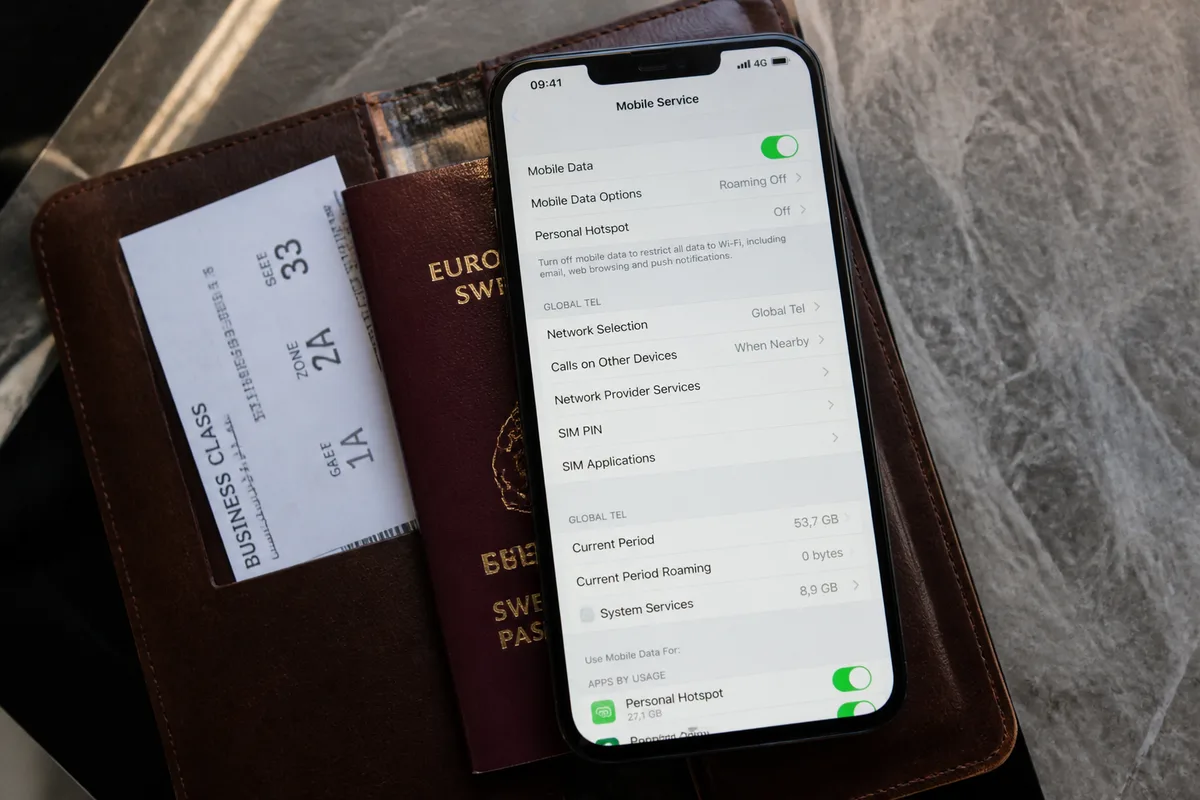
Data roaming off preserves a possible SMS path. Airplane mode removes that path.
| Phone setting | Cellular registration | Mobile data abroad | Effect on incoming SMS |
|---|---|---|---|
| Data roaming off | Usually remains possible | Blocked for that roaming line | Usually available if carrier support exists |
| Mobile data off | Usually remains possible | Blocked more broadly | Usually available if the line remains registered |
| Airplane mode | Disabled unless cellular is manually restored | Disabled unless Wi-Fi is enabled | Normally unavailable while cellular stays off |
| SIM or eSIM disabled | Disabled for that line | Disabled for that line | Unavailable on that number |
Or, manually selecting an unsupported network can also prevent service even when the line and roaming setting are enabled. Return network selection to automatic before assuming the phone or carrier has failed.
In a dual-SIM phone, the data line and SMS line may differ. Confirm which line carries the number that receives verification codes.
How to receive SMS abroad while minimizing roaming charges
Or, the safest setup is to keep the required line active, turn off data roaming for that line, and use trusted Wi-Fi for internet messaging. Before departure, verify international roaming eligibility, destination coverage, incoming and outgoing SMS rates, and any account-level roaming block.
Start with the carrier terms. Then check the phone.
-
Check the destination
Confirm that the operator permits roaming in the country, territory, or transit location you will use.
-
Review message pricing
Check incoming SMS, outgoing SMS, MMS, calls, voicemail retrieval, and any travel-plan conditions separately from data pricing.
-
Keep the line active
Leave the SIM or eSIM associated with the receiving number enabled, especially on a dual-SIM device.
-
Block roaming data
Turn off data roaming for the relevant line and review mobile-data permissions for apps that could use cellular access.
-
Use trusted Wi-Fi
Use Wi-Fi for iMessage, RCS, MMS alternatives, media, and app-based messaging whenever practical.
Keep the line active for SMS and block data for that line. That combination serves travelers who need verification codes without opening ordinary cellular internet access.
Before leaving
Or, send a test SMS, confirm the line appears active, and review the carrier’s international roaming page for the exact destination. Save backup authentication methods for critical accounts before the phone connects abroad.
- Check the carrier’s roaming eligibility for the destination.
- Review text-message prices separately from data-pass prices.
- Confirm whether the account has an international roaming block.
- Save backup codes or another approved recovery method.
Carrier approval matters. Phone settings cannot remove an account-level restriction.
On arrival and when a code does not arrive
Or, troubleshoot in a fixed order: check signal, confirm the correct line is active, restart the phone, return network selection to automatic, and contact the carrier if ordinary SMS still fails despite cellular service.
- Check whether the phone shows a supported network.
- Confirm that the number-bearing SIM or eSIM is enabled.
- Restart the phone after crossing the border.
- Set network selection to automatic.
- Ask the carrier to verify roaming authorization or partner-network access.
Do not repeatedly toggle every setting. Isolate the failure first.
For wider connectivity choices, compare local SIM, eSIM, and roaming according to the route, device, and plan.
Which charges can still apply when data roaming is off?
Or, turning off data roaming is a safeguard against cellular data use, not a universal block on international billing. Outgoing SMS, incoming SMS under some plans, calls, voicemail retrieval, MMS, premium messages, satellite services, and plan-specific roaming access can follow separate rules.
Data protection is not charge protection for every service. Check the destination terms.
Many plans include incoming SMS at no extra cost, while others apply roaming conditions to messages or require an eligible international feature. Prepaid, business, postpaid, and travel-plan terms can differ substantially, so a universal price would mislead you.
“Data roaming off protects the data channel; it does not automatically make calls, SMS, MMS, or voicemail free.”
Or, the carrier’s current destination-specific price list has priority over general travel advice. Look for separate entries covering receiving texts, sending texts, picture messages, calls, voicemail, and premium or satellite services.
“If one unexpected charge would matter, verify the exact destination and plan before the phone registers abroad.”
A Wi-Fi connection can reduce cellular data use. Wi-Fi alone does not cancel a charge created by an SMS, call, MMS, or voicemail event.
Use the operator’s official account page or support channel for current rates, because commercial roaming prices and included allowances change by destination and plan.
Travel checklist: keep texts working without relying on roaming data
Or, keep the number-bearing SIM or eSIM active, disable data roaming before crossing the border, and use Wi-Fi for internet-based messages. SMS depends mainly on cellular registration and carrier support, while modern messaging services depend on an internet connection.
Keep the phone reachable. Keep data controlled.
- Keep the SIM or eSIM carrying the SMS number enabled.
- Turn off data roaming for that line.
- Confirm incoming and outgoing SMS prices for the destination.
- Check call, voicemail, and MMS pricing separately.
- Connect to trusted Wi-Fi for iMessage, RCS, and messaging apps.
- Keep backup authentication available for important accounts.
The practical decision rule is simple: SMS needs a supported cellular path, while app messaging needs internet access. Do not switch off all cellular connectivity when receiving verification codes matters.
Or, if your trip includes several countries, check each border and transit stop separately. A line that works in the destination country may lose registration during an airport connection or on a cruise route.
Travelers who need to call home should also review these international calling options, because voice charges follow different rules from data.
Frequently Asked Questions
Or, texting while traveling with data roaming turned off works only when the service type, active line, supported network, and carrier policy align. The answers below separate ordinary SMS from internet messaging and identify the charges that settings alone cannot prevent.
Check the line first. Then check the network.
Can I receive SMS abroad with data roaming turned off?
Usually, yes. The phone must keep the relevant SIM or eSIM line active, register on a supported cellular network, and use a carrier plan that permits international SMS service in that destination.
Can I send SMS abroad without data roaming?
Usually, yes, because standard SMS does not normally use mobile internet data. Outgoing international SMS charges may still apply, and the carrier can restrict sending even when receiving works.
Will iMessage work with data roaming turned off?
iMessage can work over Wi-Fi with data roaming disabled. Away from Wi-Fi, iMessage may stop working when cellular data roaming is blocked, unless a separate active data connection is available.
Will I receive bank verification codes abroad?
Many SMS verification codes can arrive when the line has supported cellular service. Delivery can fail for a particular bank, short code, country, or roaming arrangement, so keep a backup authentication method available.
Do picture messages work with data roaming off?
Picture messages may fail because MMS often requires mobile data and carrier support. Wi-Fi-based messaging apps are usually the more practical way to send media without cellular roaming data.
Does turning off data roaming prevent every roaming charge?
No. The setting mainly prevents cellular data use; texts, calls, MMS, voicemail, premium messages, and other services can follow separate international pricing rules.
The safe travel setup is to keep the line active for SMS, block roaming data, use Wi-Fi for internet messaging, and check carrier terms if even 1 unexpected charge would matter.